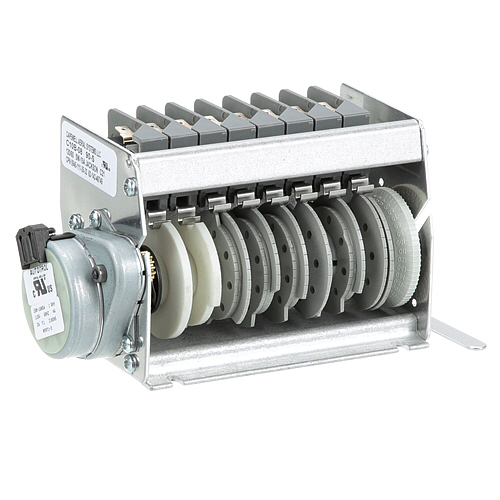
Jackson 5945-111-35-32 Dishwasher Timer
C$ 1,701.34
Specifications:
| Attribute | Details |
|---|---|
| 8 Cam, 90 Sec., 115V/60 Hz |
Description
The Jackson 5945-111-35-32 Timer functions as an 8-cam high-precision timer that controls dishwasher wash cycles with 90-second precision. This part runs on a 60Hz/115V power and provides accurate cycle timing which leads to optimized water usage together with enhanced cleaning results. The timer operates reliably to support dishwasher operations without interruptions which results in better kitchen efficiency and less downtime. The robust timer operates efficiently to maintain optimal performance by controlling washing and rinsing cycles with precision and therefore extends equipment life and improves productivity.
More Information:
- JACKSON:05945-111-35-32 ,059451113532 ,5945-111-35-32 ,59451113532 ,JAC5945-111-35-32
Step1: Disconnect electrical supply to the dishwasher.
Step2: Open the control housing to access the timer.
Step3: Label and disconnect all wiring connections.
Step4: Remove mounting screws and pull out the timer.
Step5: Install the new timer and reconnect wires accordingly.
Step6: Close housing and run a cycle to verify timing performance.
Customer Reviews
No reviews yet. Be the first to write one!
Write a Review
Thank you! Your review has been submitted.
-
What maintenance is required for the Jackson 5945-111-35-32 Timer?
Regularly inspect the timer for secure electrical connections and clean contacts to prevent corrosion. Wipe the surface to remove moisture, debris, or residue that could affect operation. Test the timer cycles to ensure consistent performance. Always disconnect power before handling.
-
How do I install the Jackson 5945-111-35-32 Timer?
- Turn off power to the dishwasher and lock out/tag out the circuit.
- Open the control box and label all wires connected to the existing timer.
- Unscrew and remove the old timer from its mounting bracket.
- Mount the new 5945‑111‑35‑32 timer in the same position and orientation.
- Reconnect all wires exactly as before, ensuring secure terminal connections.
- Close the control box, restore power, and run a manual cycle to confirm that the timer advances through all 8 cams over 90 seconds.
-
What are the operating limitations for the Jackson 5945-111-35-32 Timer?
It operates at 115V, 60 Hz, cycles over 8 cams in 90 seconds.
-
What are the common issues with the Jackson 5945-111-35-32 Timer?
- Timer skipping or failing to advance properly.
- Dishwasher cycles not starting or stopping unexpectedly.
- Corroded or burnt contacts affecting operation.
- Inconsistent cycle timing or incomplete wash cycles.